How to Use Bookkeeping Services for Your Business

If you ask any small business owner or self-employed person what their least favorite task is, what would they say? Unless you have an accounting background, bookkeeping is probably on the top of the list. Well, I have good news! There are some awesome online tools and services available to automate bookkeeping for your business.

QuickBooks Self-Employed Online

My most used bookkeeping service is QuickBooks online. QuickBooks Self-Employed has tools like transaction tracking, invoicing, mileage tracking, reporting, and tax help (for an extra fee).

  1. Profit & Loss: Connect the bank accounts you use for your business to track every transaction. You can manually sort each transaction or create rules to automate it! Don’t worry if you made a personal transaction, you can categorize as personal or business.
  2. Invoicing: For reselling, you might not need this tool, but don’t overlook it! If you have a second business or provide a service you can easily create an invoice and get paid through QuickBooks.
  3. Mileage tracking: This one is major! You might not realize it, but you drive around a lot for sourcing or even post office runs. All you have to do is download the QuickBooks Self-Employed app on your phone and it will automatically start tracking your miles when you get in your car (you do need to have a Bluetooth connection, however). You can deduct $0.575 per mile on your taxes.
  4. Reporting: This is key for your yearly taxes! If you have everything up to date, come tax time all you’ll have to do is run a few reports. Reporting available: mileage, profit & loss, receipts, tax summary, tax details.

QuickBooks is also beta testing a time clock so you can track your daily tasks or client work!

How I use QuickBooks for Reselling

A snapshot of my transactions and how it lets you sort them!
See where the “rules” are automatically applied.
  1. Profit & Loss: I connect the bank account that I use for expenses and my PayPal account for eBay income. My Poshmark income is reported when I deposit anything into my bank account (along with Mercari). I create rules so that frequent transactions get automatically sorted into categories. My sourcing transactions are auto sorted as “materials & supplies” in business expenses.
  2. Invoicing: I have a graphic design business that I use invoicing for! You probably won’t use this as a reseller, but it’s nice to have.
  3. Mileage tracking: Make sure you are logged into your app or the tracking won’t start! You can also add mileage manually if you missed a trip. Last year I was able to deduct $2,950.
  4. Reporting: For taxes, I just downloaded the documents I needed and filed online!

Click here to sign up for QuickBooks Self-employed for only $7/month!

Airtable

The second most hated task for a reseller? Inventory! Airtable is a website and app that lets you create “bases” for anything you need. It is basically a better version of a spreadsheet that won’t make you cry ๐Ÿ™‚

I have one base for all of my inventory. You do have to set it up yourself, but just think through what your needs are! For me, I have the following in my inventory base for each listing: title (that I use in my listing), category (shoes, tops, bottoms, etc), inventory number, measurements, status (photograph, listed, sold), sold date, COGS, net earnings (income after fee), net profit (this is a formula).

I also have a base for my monthly stats! I record the following each month: Poshmark, eBay & Mercari sales ($$ and quantity), social media stats, active listings, and total listings created each day.

You can sign up for Airtable for FREE!

Let me know if you have any questions or if there’s something I didn’t cover in the comments!

**I am not an accountant and I always will suggest meeting with or hiring one just to check that you are doing everything right.

Check out my other blog posts about reselling and Poshmark!

Coffee Bar & Bar Cart Styling for an Apartment

Today I am showing you guys how I style my bar cart to double as a coffee bar in our two-bedroom apartment! With our apartment layout, we have a little nook off of the kitchen where I have our bar cart. To be honest, most of the alcohol hasn’t been drunk for years…and it’s mostly used for my coffee bar!

Machines

I just recently purchased this little Nespresso machine for espresso drinks and love it! There are so many different options for Nespresso machines and they can get very costly. This one uses the original cups and is around $150.

I also have a Keurig K-Cafe machine that uses k-cups and has a milk frother built-in. My thoughts getting this machine was that it would make espresso like the Nespresso machine, but I do not recommend it if that’s also what you are wanting. The espresso is not airy and creamy with the K-Cafe, it’s more just strong coffee. I use it for regular coffee and the milk frother.

My last coffee tool is my Bodum french press, which makes the best coffee ever, but I am too lazy to clean it regularly ๐Ÿ™‚

Syrups

Currently, I am using Torani syrups. I like the way their sugar free syrups taste (mostly)! I use these for iced coffees, iced espresso, and hot lattes.

Decor and Mugs

I will link any decor and mugs that I can find! A lot of it is Target, Hobby Lobby, or thrifted. I am using a tiered cupcake/food stand to hold my mugs (you don’t want to know how many MORE mugs I own). Click here for the buffalo check mug!

I switch up my mugs and decor depending on the season/holiday.


Shop My Outfit

My Favorite Target Dresses Under $40

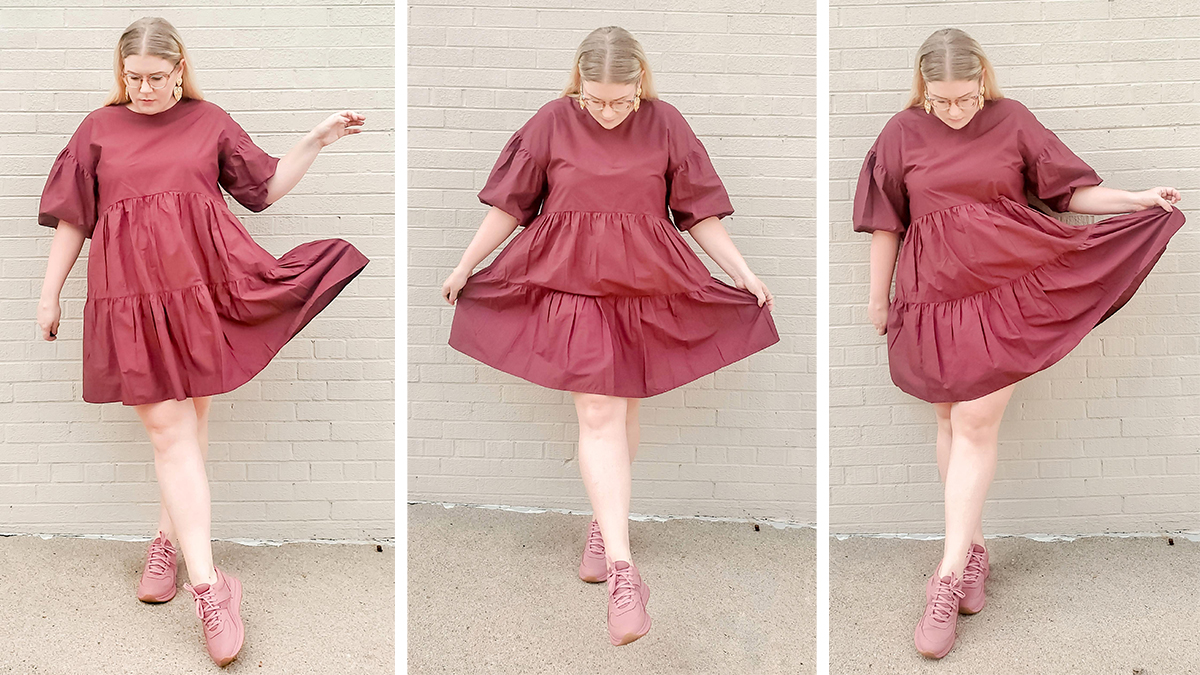
Dress picks from Target that are perfect to transition into fall and under $40! About my lookL I am wearing #4- Women’s Puff Short Sleeve Tiered Dress – A New Dayโ„ข in Burgundy in a size Large (it is oversized so go with your normal or size down). My shoes were purchased secondhand and are Everlane “The Traner” sneakers. Earrings are from ASOS earlier this year! Glasses are from Warby Parker.

  1. Short Sleeve Wrap Dress – Universal Threadโ„ข (Regular & Plus) in Red Oak
  2. Short Sleeve Wrap Dress – Universal Threadโ„ข (Regular & Plus) in Meadow Green
  3. Puff Short Sleeve Tiered Dress – A New Dayโ„ข (Regular & Plus) in Cream
  4. Puff Short Sleeve Tiered Dress – A New Dayโ„ข (Regular & Plus) in Burgundy
  5. Polka Dot Puff Elbow Sleeve Dress – Who What Wearโ„ข (Regular & Plus) Off White
  6. Sleeveless Trapeze Dress – A New Dayโ„ข in Orange
  7. Puff Elbow Sleeve Dress – Prologueโ„ข in Tan


Sweater Tank Styled 3 Ways for Summer

I’m back with another “Styled 3 Ways” and this time it’s a classic sweater tank in a fun mustard color!

Solid basics like this J. Crew Factory sweater tank are a perfect wardrobe staple. For these looks, I took one tank and styled it 3 ways that are easy for summer and comfy for working from home! Sweater tanks give you a little depth and texture to your layers and I always see them at the thrift. I love a good pattern mixed in, but don’t be afraid to rock a solid only look!

Recently I purged 80% of my personal closet and it felt so good! I decided to rework my wardrobe for what fits my current lifestyle with basic pieces I can mix and match. When you are doing this a good place to start is to choose a color palette! Pick a few colors you love so when you are out shopping you can easily coordinate your buys. Of course, you don’t have to stick to your palette, but it will help you make quick outfits!

See my 3 styled looks with a sweater tank below and don’t forget to tell me your favorite in the comments!

Look 1- Solid Party

sweater tank styling look 1- solid party
J. Crew Factory Sweater Tank | J. Crew Factory Linen-blend drawstring short | Micheal Kors Blush Jacket (TjMaxx) | Keds Triple Up Leather Sneaker | Madewell Belt Bag (Poshmark)

Look 2- Daisy Whimsy

sweater styling look 2- daisy whimsy
J. Crew Factory Sweater Tank | J. Crew Factory Ruffle wrap midi poplin skirt | Madewell Sneakers (Poshmark) | Target hat | Woven bag (TjMaxx)

Look 3- Mom Jean Comfy

sweater tank styling look 3- mom jean comfy
J. Crew Factory Sweater Tank | AE Stretch Mom Jean | Madewell Belt Bag (Poshmark) | Madewell Sneakers (Poshmark) | Free People Cecelia Super Scrunchie

Which look would you wear? Tell me in the comments!

Check out my Posh Boss Tee styled 3 ways!

Tips for Moving Inventory on Poshmark

Poshmark inventory can take a bit of time to move depending on the item. I usually let a regular $20-40 priced item sit 2-3 months before moving on to additional steps. Higher-end items with big price tags can take longer to sell and are worth letting sit for even up to a year, but don’t fret! This is my process for moving inventory I know was a bad buy or just isn’t selling on Poshmark:

  1. Send Your Lowest Offer
  2. Relist the Item
  3. Sell to Consignment Stores
  4. Send Items to ThredUp
  5. Re-Donate

Send Your Lowest Offer

In the current buying climate I send 20-30% offers to every liker as they come in. In the past I would wait and only do it on Wednesdays or Saturdays all at once. Your game plan will probably change depending on what’s working for you! Right now people want higher discounts than 10% and quick sales.

Your mindset will most likely change after a few weeks or months on the lowest amount you will take for your item. If you send your lowest offer and no one accepts, I would move onto the next steps!

Relist the Item

Relisting means completely deleting the old listing and creating a new one. You can copy the listing with Poshmark’s new “copy” feature (located in the old listing by the delete button) and keep the old photos. Or you can rephotograph the item if you think it is necessary! I suggest you check the pricing and make sure it’s still competitive!

Reasons to relist are that the item has been sitting for several months with no action or you want to “reset” the listing. In this case, we want to hit the reset “button.” If you’ve sent out your lowest offers, relisting will give you a fresh start with new likes!

**Hot Tip: if you have current offers out on an item, but want to delete it just change the size of the item –>list–>edit–>delete. This cancels out any active offers.

Sell to Consignment Stores

So you’ve tried it all and Poshmark is just not on your side? There is still hope for moving your inventory! Consignment stores are a great way to move your items quickly and get some cash.

This is how I handle consignment:

  1. Think about where you are taking your items before pulling them. Certain stores take certain brands. For example Plato’s Closet is more teen & mall brands while Style Encore is career and mature brands. If you are unsure, call the store ahead and ask what kind of brands they accept. All will say they only accept styles from the last 2 years, but no harm in trying!
  2. Don’t take 4 giant bags at a time. Rumor is that some stores will only accept a certain amount of your items no matter how great they are. Split it up between stores, locations, and days.
  3. Mark your items as “not for sale” instead of deleting them. The consignment store won’t take every item. This way the item won’t sell while you are moving it, but you can mark it for sale if they don’t take it.

**Hot Tip: only take unflawed items and remember that if it’s a designer bag or shoes they might ask for proof of purchase. A Goodwill receipt is probably not what they want to see ๐Ÿ™‚

Send Items to ThredUp

ThredUp is a true consignment system where they only pay you when your item sells. This is my last resort for moving stale inventory because the payout is usually minimal depending on the brand and style.

That isn’t to say you can’t make big money on ThredUp! You just need to do research on brands that sell well on the platform.

Most of my regular cleanout items have a 15% payout which is just a few bucks. This is fine if you received the inventory for free or if it’s your last step before donating it back! $3 is better than zero.

ThredUp Luxe payouts are much higher. 80% has been my highest for Manolo Blahnik booties.

Here are some recent solds from a ThredUp Luxe bag! Remember, you only need one “Luxe” brand item in the bag to reclaim your items for free.

**Hot Tip: you can also consign with The RealReal. I suggest finding some ThredUp pros on Instagram or YouTube if you are wanting to learn more!

Re-Donate

And your item has come full circle! Sometimes a bad buy is just a bad buy. Just remember this mistake when you are out sourcing!

**Hot Tip: you can write off your donations. Do your research or ask a financial professional how.


Do you have any tips for moving inventory? Tell me in the comments!

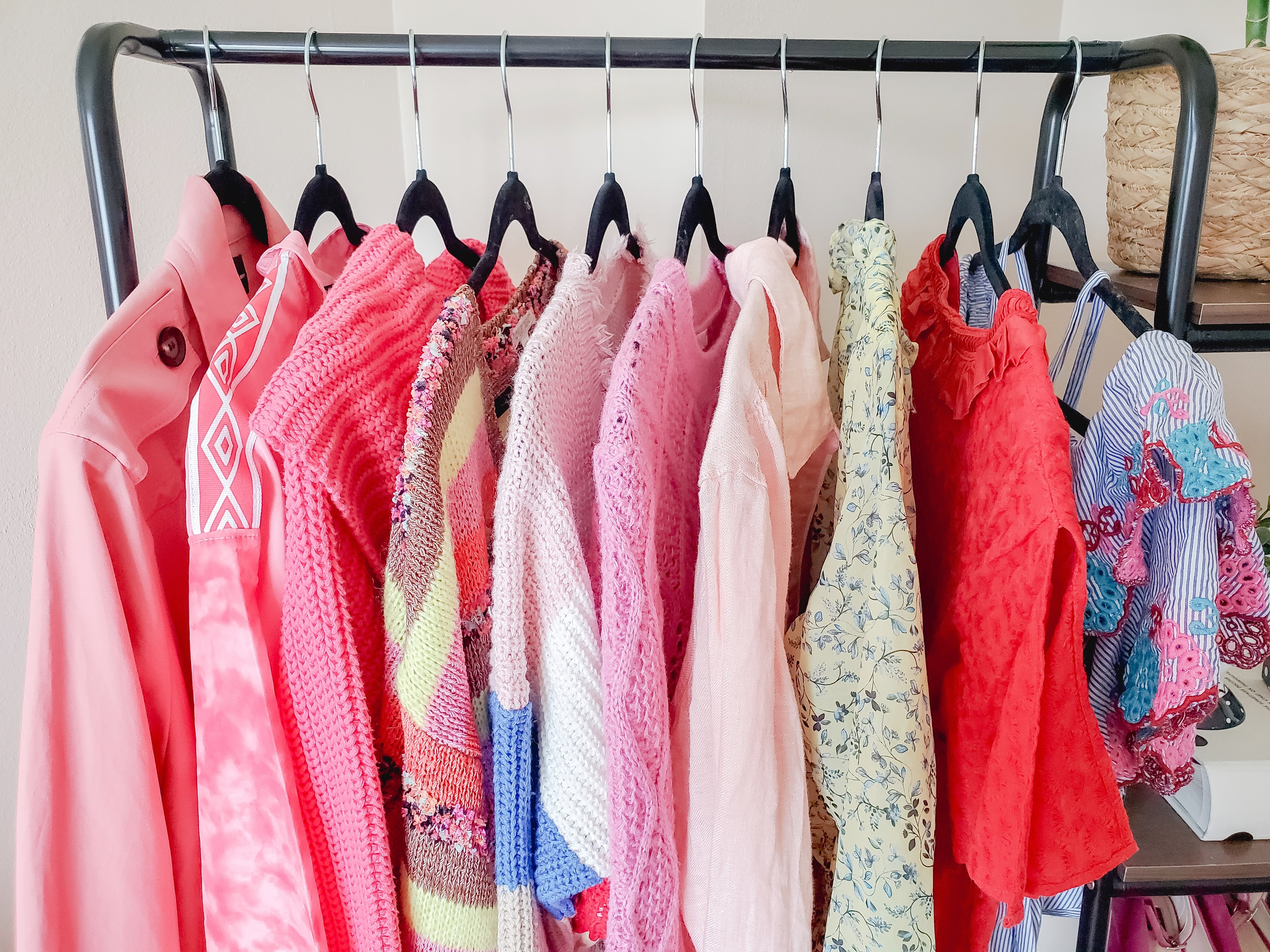
You can find the clothing rack pictured along with my fave reselling supplies here!


Posh Boss Bleached Tee Styled 3 Ways

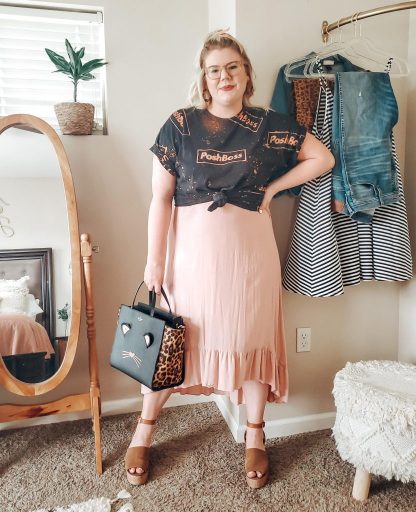
Tie-dye is the color of quarantine, but have you seen the Posh Boss bleached tee from @thecolorblush_? I was gushing over these tees and Stephanie was kind enough to gift one to me! So, how do you style a bleached tee?

To be honest, I feel like one of those cool kids that rock band tees, but I don’t have to pretend I listen to the band. Because this tee is a little edgier than what I usually wear, I styled it three ways with my go-to’s- blush, leopard & denim.

Shop the Posh Boss bleached tees in Stephanie’s Poshmark closet!

Look 1

Tee- @thecolorblush on Poshmark
Jacket- old Target
Shorts- A New Day
Sneakers- Vans
Bag- thrifted Aldo

Look 2

Tee- @thecolorblush on Poshmark
Skirt- old J.Crew Factory
Sneakers- Keds
Convertible Backpack Tote- Fossil

Look 3

Tee- @thecolorblush on Poshmark
Dress- thrifted boutique brand
Shoes- thrifted Sam Edelman
Bag- Kate Spade New York

Which look is your favorite? Tell me in the comments!

Love the leopard? Click here to shop the cutest leopard platform sneakers.


Shoe Crush: Keds Triple Up Platform Sneakers

I’ve just made my first platform sneaker purchase and I am DEAD. So cute and fun! I had a hard time deciding between the leopard and rainbow Keds Triple Up Platform Sneakers but ultimately couldn’t resist leopard.

Shop the ones I am wearing and a few other options with Liketoknow.it!

Just click on the shoe you like in the image below. Which ones are your favorite? Tell me in the comments <3

Click here to follow me on the liketoknow.it app!


My Foolproof Shipping Method for Poshmark Resellers

Shipping several orders at once from Poshmark can be daunting! I have been using this foolproof shipping method for more than a year with ZERO mistakes. No switched labels, wrong items, or unseen flaws.

What makes this process so “foolproof?” I take my time on each sale and only focus on one at a time. I discourage you from printing out all your labels at the same time because that leaves room for error. Did you match the right label to the right item? Do you have to double-check? Do you spend time writing on the back of the label?

This was exactly how I would process multiple sales when I first started reselling. I can’t say it led to a ton of errors, but it definitely took more time and made me worry if I sent the wrong items.

The process I am giving you below works best for me, but I have everything in one room. My shipping supplies, computer, inventory, and printer are all in one place. If you don’t have this, some steps might not make as much sense and I have added alternate options that lead to the same outcome!


Posh Office Foolproof Shipping Method:

  1. Open “My Sales” in Poshmark.
  2. Open Airtable in a new tab (I have two screens so I put this on one screen) or your preferred inventory tracker.
  3. In “My Sales” right-click to open each sale in a new tab.
  4. Check the order status boxes (this is important for step 11), download the label & print.
  5. Copy & paste the title of the listing in Airtable search or however you like to find the listing in your inventory records.
  6. Record the sold listing in your inventory records.
  7. Locate the inventory number and pull the item.
  8. Package up your item and take the label off the printer.
  9. Success!
  10. Repeat steps 4-8.
  11. Return to “My Sales” overview page and refresh it. Double-check that all orders say “pending shipment scan” and not “sold.”

Multiple Room Foolproof Shipping Method:

  1. Open “My Sales” in Poshmark.
  2. Open Airtable in a new tab (I have two screens so I put this on one screen) or your preferred inventory tracker.
  3. In “My Sales” right-click to open each sale in a new tab.
  4. Copy & paste the title of the listing in Airtable search or however you like to find the listing in your inventory records.
  5. Record the sold listing in your inventory records.
  6. Write down the inventory number.
  7. Repeat 4-6 for each item.
  8. Pull your inventory from storage using the numbers or descriptions you just wrote down.
  9. Return to your open sale tabs and follow steps 10 & 11 one at a time.
  10. Check the order status boxes (this is important for step 13), download the label & print.
  11. Package up your item (double-checking its the right one) and take the label off the printer.
  12. Success!
  13. Return to “my sales” overview page and refresh it. Double-check that all orders say “pending shipment scan” and not “sold.”

If you would like to see how I manage my inventory, you can watch my YouTube video explaining it all! I use AirTable to keep track of my inventory, monthly sales, monthly listings, and social media growth. You can sign up for free here.

Shop a few of my favorite shipping supplies on my Amazon Storefront!

rollo label printer
Interested in a thermal label printer?
Use code “poshnebraska” for 10% off a Rollo Printer!

Find more reselling tips and advice here.

**This process is what works best for me and is just a suggestion.


Overall Styling

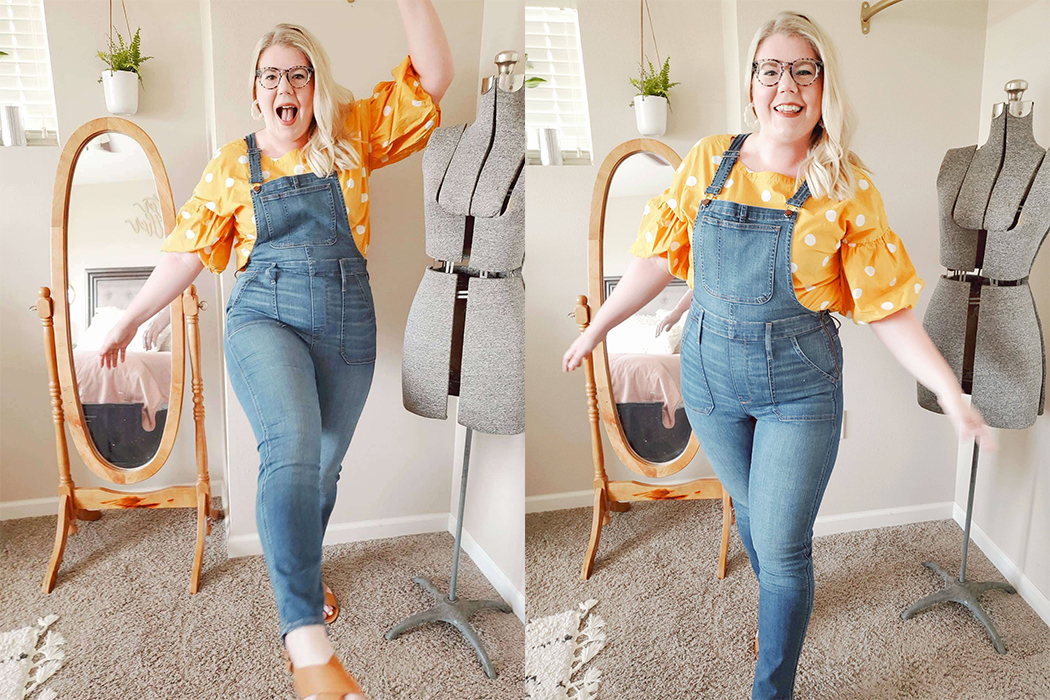
These are the Stovepipe overalls from Madewell, which are currently out of stock! Shop similar styles below. My top is LOFT that I thrifted and the shoes are Madewell from Poshmark.


Reselling Mistakes I’ve Made That You Can Avoid

When I started reselling on Poshmark in 2018, I had a few mentors giving me tips here and there. I had Instagram showing me brands and beautiful package pictures, but this led to various reselling mistakes! What I’d like to go back and tell myself is not to consume all of this information and believe I needed to follow the same path.

I am beyond thankful for everyone who has taught me something, even if it didn’t work out in my favor. Why? Because I have learned from those mistakes! So, what are my biggest past mistakes I would tell any new reseller to avoid?


Brands

My brand knowledge is 100% from Instagram and what other resellers are buying. While I have learned everything from this, it has also burned me many times. Brands almost always sell differently for everyone. Don’t go crazy trying to find a BOLO brand (been on the lookout) and ALWAYS check your comparable (comps) items.

Extras

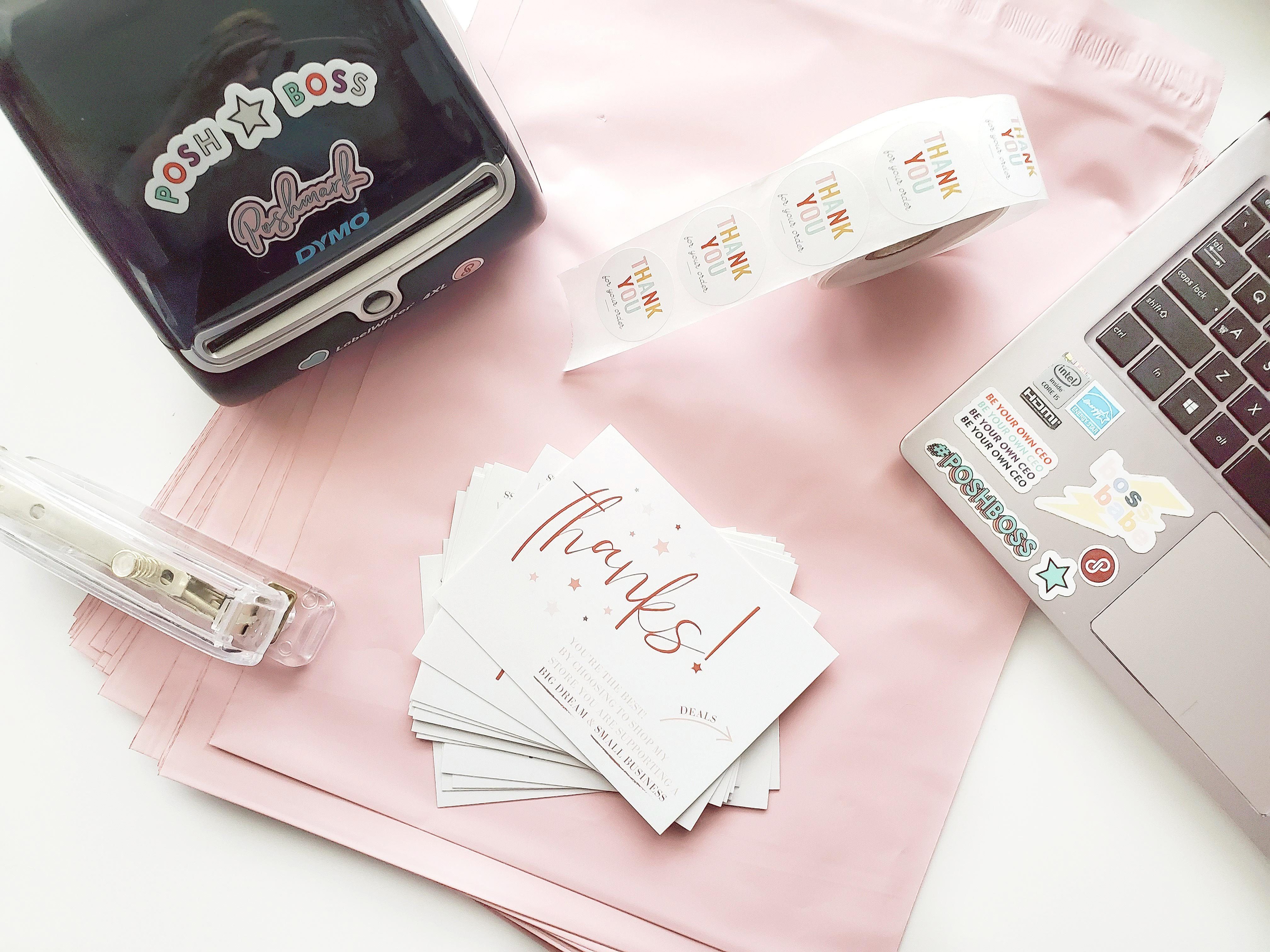
Things you don’t NEED: fancy lighting, photography backdrop, thermal label printer, poly mailers, stickers, custom thank you cards, or a new camera. Do I have all of these things? Besides a camera, yes girl. I don’t use anything for my listing pictures anymore. No backdrop, no lighting. I found a bright corner in my apartment with natural light and put up a hanging bar on the wall! My pictures look 10x better than they did with a light kit and a faux wall backdrop.

Corner hanging bar for photographing clothing.

So why do we all have these fancy gadgets and extras? Because they DO help your productivity, reviews, and branding. I suggest starting out with the bare minimum and save for those big-ticket items like a label printer.

Editing

  1. Use square mode on your camera while taking pictures.
  2. Only edit your cover photo.
  3. Use an easy app like PicTapGo.
    • I use the “lights on” filter and adjust as needed.
    • Snapseed can help with additional brightening and use the “heeling” tool to remove things like light switches.
  4. Use an app like InstaSize to fit pictures into a square, like maxi dresses.

Cost of Goods Sold

My biggest reselling mistakes were made here! I started off by going to a Goodwill and thinking $5 for a top was a steal. Which it is if you are buying it for yourself. The general rule of thumb is to triple your money on a sale. So if that shirt is $5 you need to sell it for around $20 (Poshmark takes 20%).

Average selling price (ASP) is a goal to keep in mind in the long run. Starting out your ASP may be ~$15. Your ASP should start to increase if you put in a conscious effort while sourcing and pricing. Depending on what sourcing in your area looks like, you might stay at $15 if you are unable to find higher-end brands. Which is totally fine! Small sales add up.

Extra tip: check if you have a Goodwill Outlet/Clearance Center in your area! They put everything in huge bins that you dig through and you pay by the pound. A game-changer for your COGS.


Can you relate to these mistakes? Tell me in the comments!